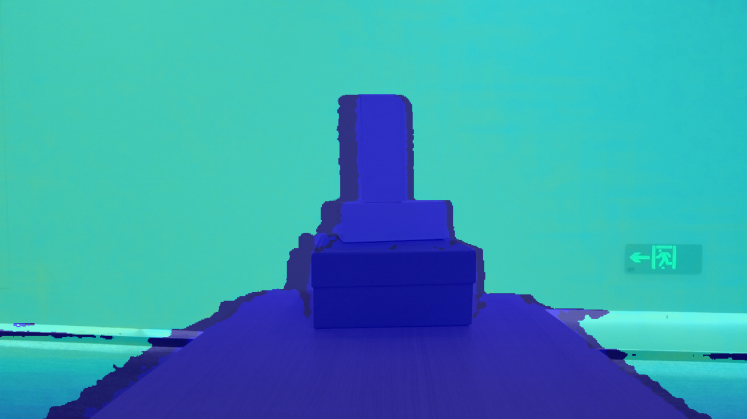

C++ D2C對齊示例代碼-Sync Align Viewer
# d2c對齊示例-SyncAlignViewer
功能描述:本示例演示了對Sensor數(shù)據(jù)流控制對齊的操作,顯示對齊后的圖像,并通過ESC_KEY鍵退出程序
> 本示例基于C++ High Level API進(jìn)行演示
首先需要創(chuàng)建一個Pipeline,通過Pipeline可以很容易的打開和關(guān)閉多種類型的流并獲取一組幀數(shù)據(jù)
ob::Pipeline pipe;
獲取彩色相機和深度相機的所有流配置,包括流的分辨率,幀率,以及幀的格式
std::shared_ptr<ob::VideoStreamProfile> colorProfile = nullptr;
try {
// Get all stream profiles of the color camera, including stream resolution, frame rate, and frame format
auto colorProfiles = pipe.getStreamProfileList(OB_SENSOR_COLOR);
if(colorProfiles) {
colorProfile = std::const_pointer_cast<ob::StreamProfile>(colorProfiles->getProfile(OB_PROFILE_DEFAULT))->as<ob::VideoStreamProfile>();
}
config->enableStream(colorProfile);
}
catch(...) {
std::cerr << "Current device is not support color sensor!" << std::endl;
exit(EXIT_FAILURE);
}
// Get all stream profiles of the depth camera, including stream resolution, frame rate, and frame format
auto depthProfiles = pipe.getStreamProfileList(OB_SENSOR_DEPTH);
std::shared_ptr<ob::VideoStreamProfile> depthProfile = nullptr;
if(depthProfiles) {
depthProfile = std::const_pointer_cast<ob::StreamProfile>(depthProfiles->getProfile(OB_PROFILE_DEFAULT))->as<ob::VideoStreamProfile>();
}
config->enableStream(depthProfile);
通過創(chuàng)建Config來配置Pipeline要啟用或者禁用哪些流,這里將啟用彩色流和深度流
std::shared_ptr<ob::Config> config = std::make_shared<ob::Config>();
config->enableStream(colorProfile);
config->enableStream(depthProfile);
控制流對齊,此處開啟軟件對齊
// 配置對齊模式為軟件D2C對齊
config->setAlignMode(ALIGN_D2C_SW_MODE);
啟動在Config中配置的流,如果不傳參數(shù),將啟動默認(rèn)配置啟動流
pipe.start(config);
停止Pipeline,將不再產(chǎn)生幀數(shù)據(jù)
pipe.stop();
程序正常退出之后資源將會自動釋放
預(yù)期輸出: